PicDock · Local AI image toolkit
Indexing and inference both run locally, so it keeps working offline.
From pulling the original out of a 50,000-shot library to stretching a small file onto a big screen — all on your own computer.
Features
The first one is texture search — the everyday job for tile and stone libraries. The other four back it up.
01 / Library search Core
Index a folder once, then upload a sample and find the closest patterns by texture and colour — the main workflow for tile, stone and wallpaper libraries.
See how search works ›02 / Canvas
Pick a target aspect ratio. It tells texture from photo, fills the edges and blends the seam, so a product shot or a poster can change proportions without being rebuilt.
03 / Redraw
Redraw the whole image at 2K, 4K or 8K — up to 4096 pixels on the long edge, with detail recomputed instead of interpolated.
04 / Cleanup
Detects watermark regions automatically — no manual masking or brushing — and reports how many areas it found and what share of the image it repaired.
05 / Quality
Tile-based inference keeps memory in check so large files do not blow up. Old and small images come out ready for print or a big screen.
Texture search
Built for libraries where pattern and texture are the point — tiles, stone, wallpaper, fabric. No filenames, tags or manual sorting required.
01
Point it at a folder; pattern features are extracted and indexed locally.
02
A phone snap from the showroom, a scan, or a screenshot all work.
03
Closest patterns and colours first, filterable by threshold.
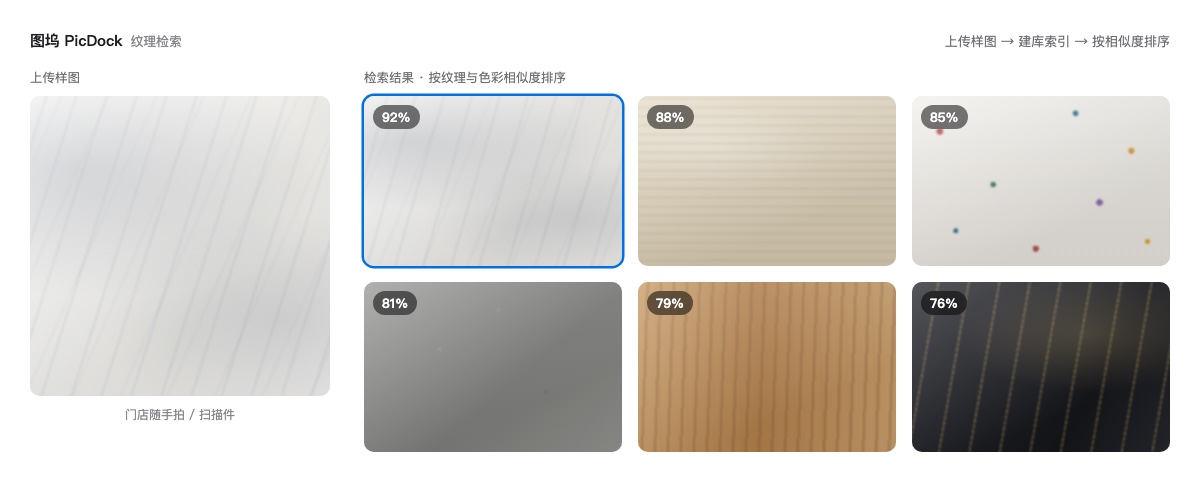 Illustration
Results
Drag the handle to compare. The samples are composite illustrations; real results depend on the source image and your hardware.


Regions detected automatically, texture continued naturally
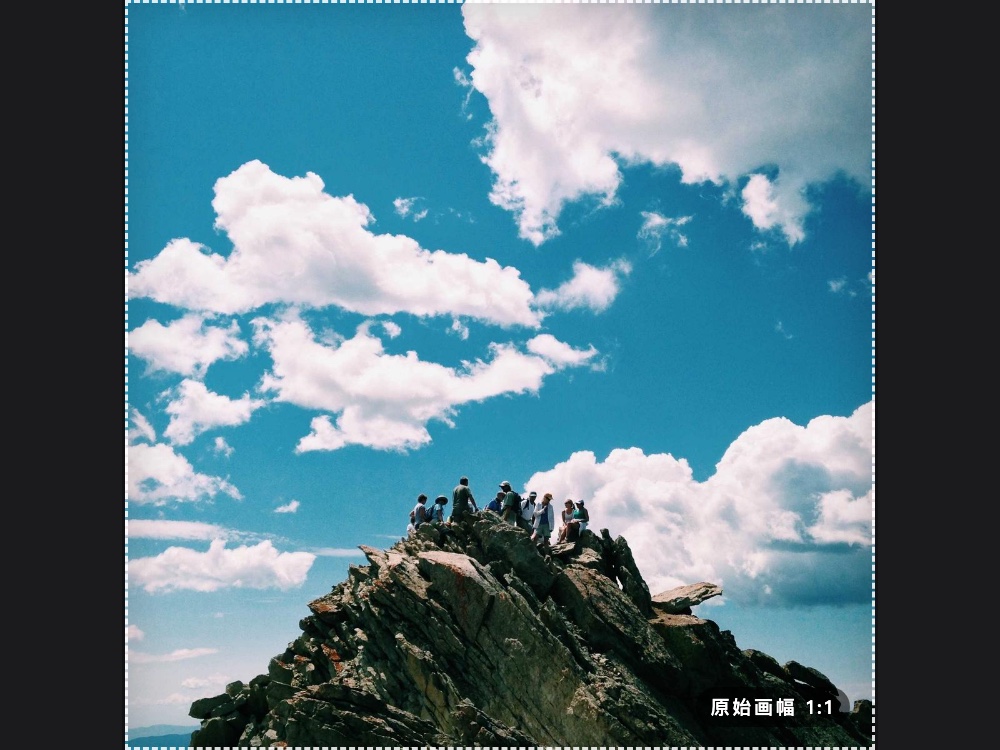
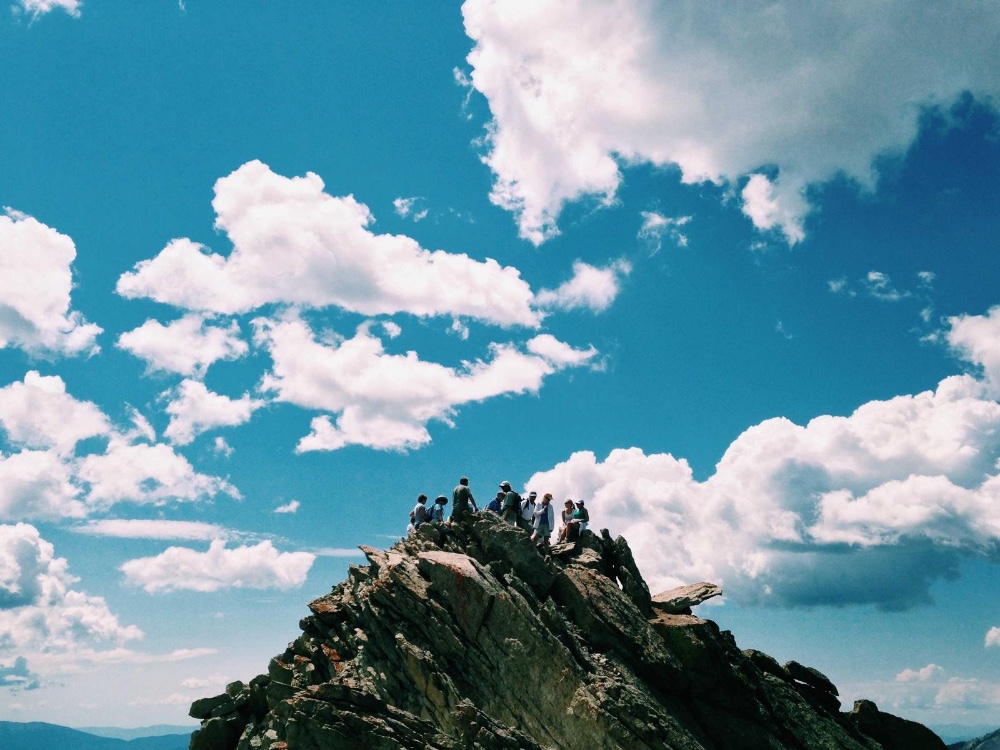
1:1 extended to 4:3, seamless edges

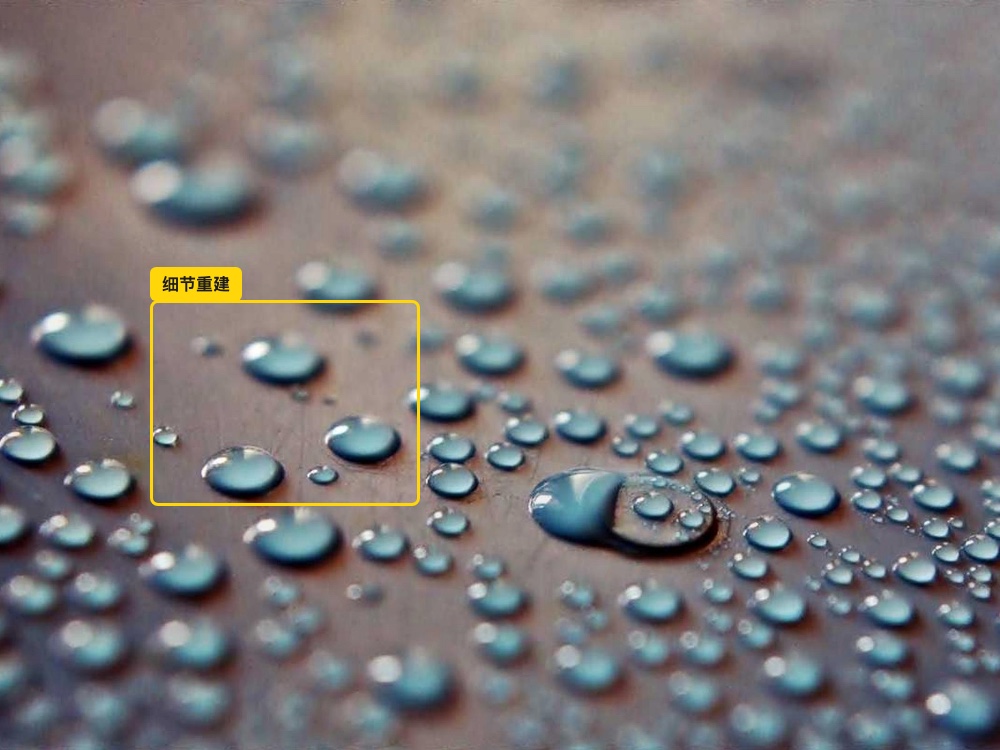
Detail rebuilt, not interpolated
Why local matters
0
Indexing, inference and repair all happen locally, so processing never uploads a picture.
Offline
Use it on an intranet, on a plane, or anywhere with no connection — no per-call cloud API involved.
Batch
Index a library once, then run outpainting and upscaling over an entire batch instead of one file at a time.
Image processing runs on your machine. Your membership account, quota and orders sync with our service — that data never includes your images.
Use cases
Texture search is the core; outpainting, redraw, watermark removal and upscaling back it up.
Tile showrooms & dealers
A customer holds up a photo and asks for that tile. No more flipping through catalogues and chat history — search returns the closest patterns.
Tile brands & factories
Before tooling up a new pattern, search your own library to see whether it clashes with an existing design or repeats past work.
Interior design & visuals
Start from a single tile and pull the matching sizes, borders and decorative pieces of the same series before rendering.
Stone & sintered slabs
Slab texture extends to the target canvas without mirroring or repeating the pattern — ready for layouts and print material.
Wallpaper, flooring & fabric
Remove another vendor's watermark while keeping borders and texture detail, then search for the rest of the series by pattern.
E-commerce & asset libraries
Batch watermark removal, consistent sizing and upscaling, then find near-identical items in the library from a single sample.
Plans
Quotas below are for the annual plan. Shorter plans are available with proportionally smaller quotas.
Standard
¥3,800/ year
For the occasional few images.
VIPRecommended
¥4,900/ year
For regular use, paying by volume.
SVIP
¥5,000/ year
Everything unlimited, built for studios and bulk work.
· VIP is also available as a 1-day trial pack, 7-day pack and monthly plan, with visual search and outpainting quotas of 5 / 40 / 180 runs respectively; the 8K redraw quota follows the same tier, while 2K and 4K stay unlimited.
· Subscriptions and payment are handled inside the app. This page is for reference only.
· Final prices, quotas and benefits are those shown in the app's Plans screen.
Download
Free trial without sign-up. Pick the folder you want to index after install.
macOS 11 or later · Apple silicon and Intel both supported
Download for macOS (.dmg)SHA256 available once released
On an Intel Mac? Get the x64 build ›
FAQ
No. Indexing and image processing run on your machine, and processing never uploads a picture. Only your membership account, quota and orders are synced online.
There is a free trial with no sign-up. When you need more, subscribe to a plan. Quotas per tier are listed above, and the app's Plans screen shows your remaining runs in real time.
JPEG, PNG, WebP, BMP and TIFF are all supported.
No. A CPU can handle the work, but outpainting, redraw and upscaling are noticeably faster on a discrete GPU or Apple silicon.
Yes. We ship separate builds for Apple silicon (arm64) and Intel (x64) — pick the one matching your machine.
Sign in inside the app. Benefits sync automatically; there is no activation code to enter.
Visual search and image processing run offline. Signing in, checking quotas and purchasing a plan require a network connection.
Subscriptions are digital goods and take effect immediately. If you need a refund, contact us via the footer QR code within 7 days of purchase and we will sort it out with you.
Results are ranked by texture and colour similarity, closest first. The identical SKU usually ranks at the top, with near matches listed in descending similarity — you can also set a threshold to keep only strong matches.
Yes. Search uses pattern and colour features rather than filenames or tags, so even with different angles, lighting or sharpness you still get the closest candidates in similarity order.

Installation, licensing or bulk requirements — talk to us directly
 PicDock 图坞